What’s new?
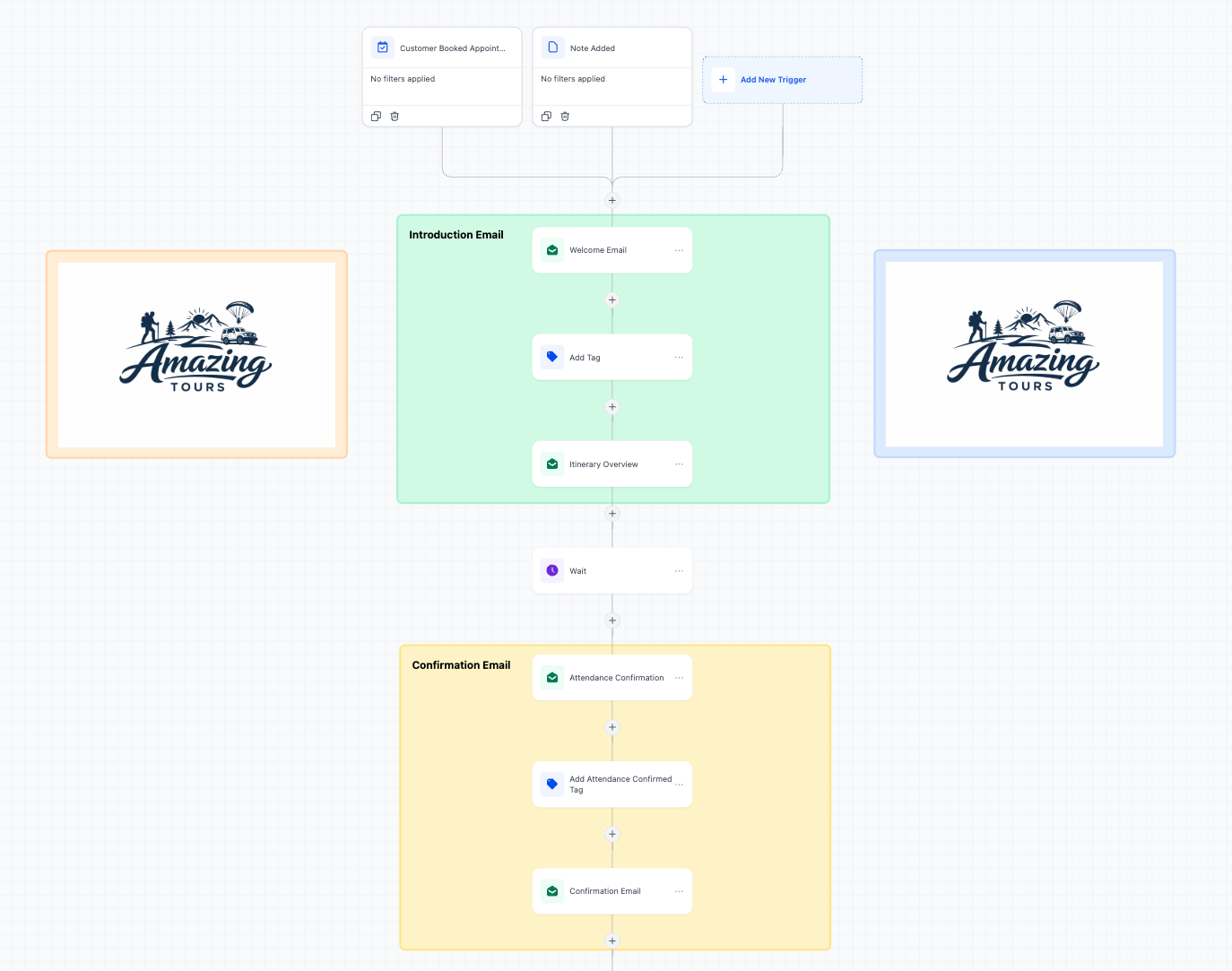
Sticky Notes 2.0 is now available in the Standard Builder. Previously available in the Advanced Builder, you can now add images/logos, color-code branches, and leave rich annotations directly inside your workflows workflows.
How it works
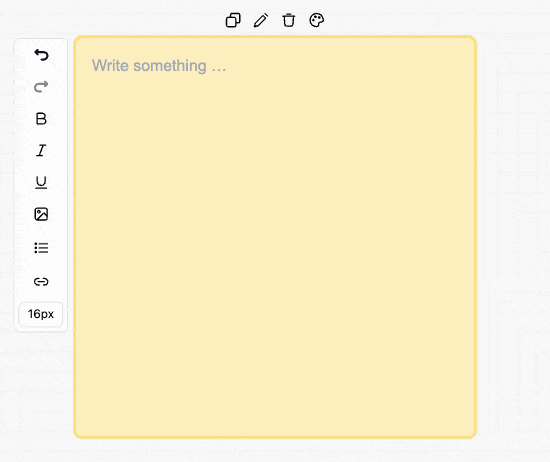
Use the Sticky Note tool on the Builder canvas to drop notes anywhere in your workflow. Customize with colors, formatted text, and embedded images or links. Resize and position them to label sections or branches.
How to use it
- Open a workflow in Standard Builder.
- Click Sticky Note from the left toolbar.
- Add text, choose a color, and optionally embed an image or logo.
Why we built it
Teams using workflows needed better collaboration and context-sharing. Now you can brand workflows, leave setup instructions, and document logic directly on the canvas - without switching tools.
Additional Note
- Sticky Notes are visual only and do not affect automation logic.
Preview:
Was this article helpful?
That’s Great!
Thank you for your feedback
Sorry! We couldn't be helpful
Thank you for your feedback
Feedback sent
We appreciate your effort and will try to fix the article