You can now build richer customer journeys with RCS messaging
directly inside Workflows
. The new Send RCS
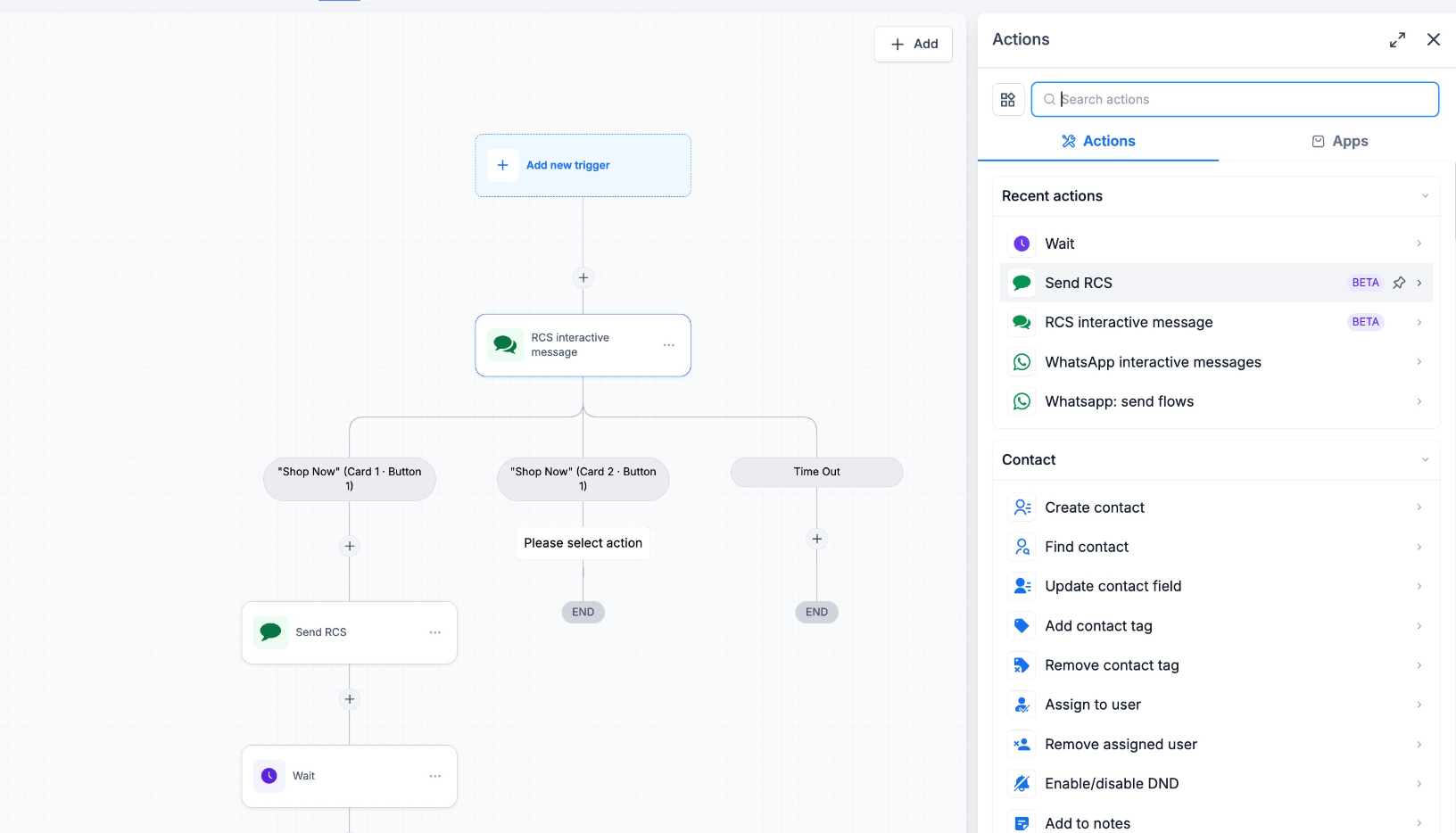
and RCS Interactive Message
actions let you automate conversations using the next generation of business messaging.You can now:
- Send standard RCS messagesfrom Workflows
- Build interactive RCS experienceswith rich cards and buttons
- Trigger different workflow paths based on customer interactions
- Automate reminders, promotions, follow-ups, and customer engagement using RCS
- Build Richer Customer Journeys
Build Richer Customer Journeys
With the new Workflow actions, you can move beyond traditional messaging and create engaging RCS conversations that guide customers through personalized journeys - all from within your existing Workflow automations.
Available in Private Beta
RCS is currently available as part of our
Private Beta
.If you'd like early access and want to help shape the future of RCS in the platform, reach out to your Customer Success Manager or contact the platform team to join the Private Beta.
Also Available in the RCS Private Beta
In addition to Workflow support, Private Beta users can already take advantage of:
- 1:1 RCS messagingfrom Conversations
- Bulk RCS messagingfor customer outreach
- RCS template creation and management
How to use this feature
- Navigate to Automation → Workflows
- Create a new Workflow or edit an existing one
- Add either the Send RCS or RCS Interactive Message action
- Configure your message or interactive experience
- Publish your Workflow
Why it matters
- Automate rich, conversational customer experiences
- Increase engagement with interactive RCS messages
- Route contacts based on button selections and responses
- Deliver a more modern messaging experience directly from Workflows
What's Next
We're actively expanding our RCS capabilities. Here's what's coming soon:
- RCS Onboarding Flowsto simplify sender registration and provisioning programmatically.
- General Availability (GA)of RCS, currently planned for end of Q3 2026, bringing the feature to all eligible platform customers.
Was this article helpful?
That’s Great!
Thank you for your feedback
Sorry! We couldn't be helpful
Thank you for your feedback
Feedback sent
We appreciate your effort and will try to fix the article